
If you have spent any amount of time exploring the vast universe of Minecraft modifications, chances are you have encountered the name “Minecraft Forge” more than once. It appears in installation guides, YouTube tutorials, mod descriptions, and community forums. But what exactly is Minecraft Forge, why does it matter so much to millions of players around the world, and how did it become the backbone of the entire Minecraft modding ecosystem? In this comprehensive guide, we will answer all of these questions and more.
Understanding the Basics: What Is Minecraft Forge?
Minecraft Forge, often simply called “Forge,” is a free, open-source modding platform and API (Application Programming Interface) designed specifically for the game Minecraft. At its core, Forge acts as a bridge between the base game and user-created modifications, commonly known as mods.
To understand why Forge exists, it helps to know how Minecraft itself was built. Minecraft was created by Markus “Notch” Persson and later acquired by Microsoft through Mojang Studios. Unlike many modern games, Minecraft was not originally designed with official mod support in mind. The game’s code was never intended to be easily modified by third parties, which meant that anyone wanting to alter the game had to dig into its source files manually, often causing conflicts, crashes, and instability.
Forge solves this problem elegantly. It provides a standardized framework that allows mods to load into the game safely, communicate with one another, and interact with Minecraft’s code without directly overwriting core game files. Think of it as a universal translator and traffic controller: it ensures that dozens or even hundreds of mods can coexist within a single game instance without stepping on each other’s toes.
A Brief History of Minecraft Forge
Minecraft Forge was first released in 2026, shortly after Minecraft began its rapid rise to global popularity. In the early days of modding, players had to install each mod individually by copying files into the game’s archive manually. This process was tedious, error-prone, and almost guaranteed to cause compatibility issues when multiple mods were installed together.
Forge emerged from an earlier project called ModLoader, created by Risugami, which provided some basic infrastructure for loading mods. As the modding community grew, developers needed something more robust. LexManos and other contributors built upon these foundations to create what became known as Minecraft Forge — a far more powerful system with extensive APIs, event systems, and registration tools.
Có thể bạn quan tâm: Mèo Trong Minecraft Ăn Gì? Hướng Dẫn Chi Tiết Từ A Đến Z Cho Người Chơi
Over the years, Forge has evolved alongside every major version of Minecraft. When Mojang released significant updates such as the Adventure Update, the Redstone Update, the Caves & Cliffs update, and the 1.18 world generation overhaul, Forge developers worked tirelessly to update the platform so that thousands of existing mods would continue to function. This dedication has made Forge one of the longest-running and most respected projects in the entire gaming modding community.
How Does Minecraft Forge Work?
At a technical level, Minecraft Forge operates by injecting itself into the Minecraft runtime environment when the game launches. Here is a simplified breakdown of the process:
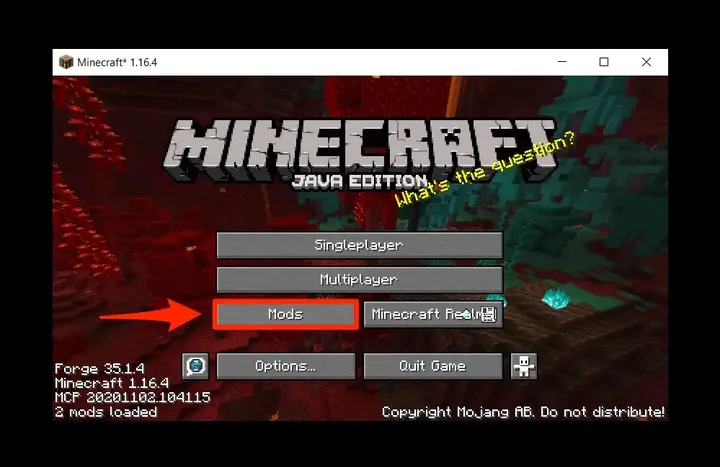
1. Loading Phase: When you launch Minecraft with Forge installed, instead of booting the vanilla game directly, the launcher loads the Forge runtime first. Forge then scans your mods folder for compatible mod files.
2. Mod Discovery: Each mod packaged for Forge contains metadata that tells Forge what the mod is called, which version of Forge and Minecraft it requires, and what dependencies it needs.
3. Event Handling: Forge provides an event bus system. Mods can subscribe to events such as “a block was broken,” “an entity spawned,” or “the world loaded.” When these events occur during gameplay, Forge notifies all subscribed mods, allowing them to react appropriately.
4. Registration Systems: Minecraft has registries for blocks, items, entities, biomes, sounds, and much more. Forge extends these registry systems so mods can add their own content cleanly, without conflicting with vanilla content or other mods.
Có thể bạn quan tâm: Mèo Ăn Gì Trong Minecraft? Hướng Dẫn Chi Tiết Về Thức Ăn, Thuần Hóa Và Nuôi Mèo
5. Compatibility Management: Because all mods communicate through Forge rather than modifying the game code directly, two mods that both add new items, for example, can work side by side without overwriting each other’s changes.
This architecture is what allows massive “modpacks” containing hundreds of mods to run together — something that would be practically impossible without a unified loader like Forge.
Key Features of Minecraft Forge
Extensive API Coverage
Forge exposes a huge portion of Minecraft’s internal functionality to mod developers. Whether you want to create new blocks, custom dimensions, magical artifacts, machinery, or entirely new gameplay mechanics, Forge provides the tools and documentation to make it happen.
Automatic Dependency Management
Many mods rely on libraries or other mods to function. Forge detects these dependencies automatically and warns players when something is missing, reducing frustration and support requests.
Có thể bạn quan tâm: Wet Hands Minecraft: Bản Nhạc Biết Nói Của Thế Giới Khối Vuông Và Hành Trình Chạm Đến Trái Tim Người Chơi
Configurable Options
Forge includes a built-in configuration system that lets both mod authors and players customize settings. Players can adjust everything from rendering options to gameplay balance tweaks without editing raw text files.
Cross-Mod Compatibility
Perhaps the most important feature: Forge establishes conventions that help different mods work together. Energy systems, item transportation, ore generation, and tool tiers can be standardized across mods, creating cohesive experiences even in enormous modpacks.
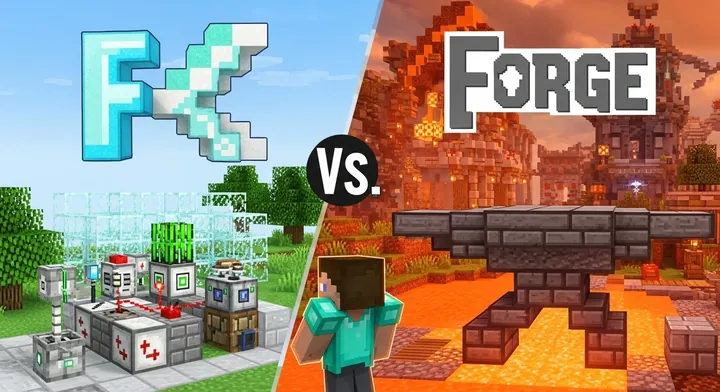
Forge vs. Other Mod Loaders
While Forge remains the most established mod loader, it is not the only option available today.
Fabric is a lightweight alternative that gained popularity for its fast updates to new Minecraft versions and minimal performance overhead. Fabric mods tend to be smaller and simpler, and the loader updates to new Minecraft snapshots remarkably quickly.
NeoForge is a fork of Forge created in 2026 following disagreements within the Forge development community. NeoForge aims to continue Forge’s legacy with a more open contribution model and faster iteration.
Có thể bạn quan tâm: Water Mill Minecraft: Hướng Dẫn Chi Tiết Xây Dựng Và Tối Ưu Nguồn Năng Lượng Từ Nước
Quilt is another community-driven loader, largely compatible with Fabric mods while offering additional flexibility.
Despite this competition, Forge retains the largest library of mods, particularly for older Minecraft versions and large-scale technical or magical modpacks. Legendary mods such as Industrial Craft, Thermal Expansion, Tinkers’ Construct, Twilight Forest, and Applied Energistics were all born on Forge, and countless servers still run Forge-based setups today.
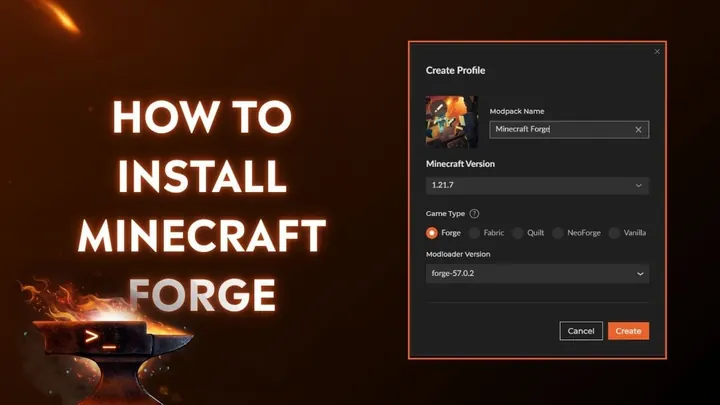
How to Install Minecraft Forge
Installing Forge is straightforward, even for beginners:
- Back up your worlds. Before modifying your game, always create copies of your saved worlds.
- Download Forge. Visit the official Forge website and select the version matching your Minecraft installation. Always download from the official source to avoid malware.
- Run the installer. Launch the downloaded installer file and choose “Install client.”
- Select the Forge profile. Open the Minecraft Launcher and choose the newly created Forge profile.
- Add your mods. Place downloaded mod files (usually .jar files) into the “mods” folder located in your Minecraft directory.
- Launch and play. Start the game through the Forge profile, and your mods will load automatically.
One critical rule: always ensure your mods match both your Minecraft version and your Forge version. A mod built for Minecraft 1.20.1 will not work on 1.19.4, and mixing versions is the most common cause of crashes.
Popular Mods Available on Forge
The Forge ecosystem hosts an astonishing variety of content. Some standout categories include:
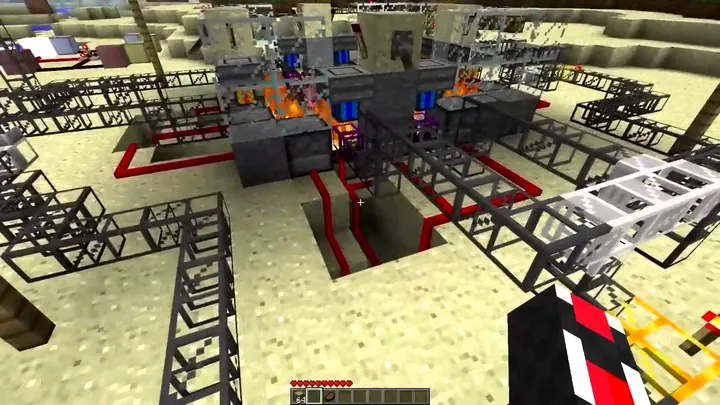
- Technology mods: Create, Mekanism, and Immersive Engineering add factories, power grids, and automation.
- Magic mods: Botania, Ars Nouveau, and Thaumcraft introduce spellcasting, rituals, and arcane devices.
- Adventure mods: Twilight Forest and Blue Skies add new dimensions filled with dungeons and bosses.
- Quality-of-life mods: JEI (Just Enough Items) provides recipe lookups, while performance mods dramatically improve frame rates.
- Exploration mods: Biomes O’ Plenty and Terralith transform world generation with stunning new landscapes.
Beyond individual mods, platforms like CurseForge host complete Forge-based modpacks such as RLCraft, SkyFactory, and All the Mods, offering curated experiences with hundreds of integrated modifications.
Advantages and Disadvantages of Using Forge
Advantages
- Massive mod library accumulated over more than a decade
- Excellent stability for large modpacks
- Strong community support and documentation
- Regular updates maintained by dedicated volunteers
Disadvantages
- Can be slower to update to brand-new Minecraft versions than Fabric
- Slightly heavier performance footprint compared to lightweight loaders
- Some older mods break permanently across major version changes
Frequently Asked Questions
Is Minecraft Forge free? Yes, Forge is completely free and open-source.
Is Forge safe to use? Downloaded from the official website, Forge is safe. Avoid third-party download sites, which sometimes bundle malware.
Can I use Forge and Fabric together? Not simultaneously in the same instance; they are separate loaders requiring separate installations.
Do I need Forge to join Forge servers? Yes, connecting to a modded server requires the same mods and loader installed on your client.
Conclusion
Minecraft Forge is far more than just a tool — it is the foundation upon which an entire creative universe has been built. By providing a stable, standardized platform for modding, Forge has empowered thousands of developers to expand Minecraft far beyond its original boundaries, transforming a simple block-building game into a platform with infinite possibilities. Whether you are a casual player looking to enhance your experience or an aspiring developer dreaming of creating your own modifications, understanding Forge is the essential first step into the rich world of Minecraft customization. Install it, explore its vast library, and discover just how much deeper the rabbit hole goes.