
Introduction: The Asphalt 9 Landscape in 2026
Eight years after its debut, Asphalt 9: Legends continues to dominate the mobile racing sphere, and in 2026, the way players interact with the game has evolved dramatically. “Now” in 2026 signifies a mature ecosystem where touch-screen controls, while still viable, have been complemented—and often superseded—by dedicated game controllers that offer precision, ergonomics, and a console-like experience on smartphones and tablets. As the game celebrates its eighth anniversary in 2026, both veteran racers and newcomers are seeking the optimal hardware setup to shave milliseconds off lap times, execute flawless drifts, and dominate multiplayer lobbies. This article serves as the definitive guide to choosing, using, and maximizing a controller for Asphalt 9 in the current year, blending rigorous reviews, up-to-date pricing, and strategic insights tailored to the 2026 gaming environment.
Asphalt 9: A Brief Retrospective Grounded in Fact
Asphalt 9: Legends was officially released by Gameloft on December 18, 2018. This release date remains a fixed historical milestone; in 2026, the title sits comfortably in its eighth year, a testament to Gameloft’s ongoing live-service support, regular content drops, and a community that remains fiercely loyal. Over the years, Asphalt 9 has introduced over 300 cars from more than 120 brands, 72 distinct tracks across diverse environments, and a progression system that blends card-collecting with performance upgrades. In 2026, the game receives seasonal updates that often align with real-world automotive events, esports tournaments, and crossover collaborations, ensuring that the experience feels fresh despite the age of the engine. Understanding this backdrop is essential for any player considering a controller: the game’s physics, drift mechanics, and nitro management systems are well-established, and a controller’s primary value lies in translating human input into the precise inputs the game expects, especially during high-speed overtakes and tight cornering.
The Rise of Controllers in Mobile Racing: A 2026 Perspective
The mobile gaming accessory market has undergone a seismic shift by 2026. Early adopters of Bluetooth controllers in the late 2010s faced issues with latency, flimsy build quality, and limited game compatibility. Fast-forward to today, and the landscape is defined by low-latency wireless standards (Bluetooth 5.3 and beyond), USB-C/lightning hybrid connections, and native support across iOS, Android, and even cloud gaming platforms. Asphalt 9, while not originally designed with controller schematics in mind, has become a flagship title for controller enthusiasts because its control scheme—steering, acceleration, braking, and nitro—maps cleanly to button layouts and analog sticks. In 2026, the “touch vs. controller” debate has evolved into a coexistence model: competitive racers often prefer the tactile feedback and consistent input zone of a controller, while casual players remain on touch. This guide focuses on the former, helping you navigate the crowded market to find a device that feels like an extension of your hands rather than an add-on.
Top Controllers for Asphalt 9 in 2026: Reviews, Prices, and Performance
Selecting the right controller involves balancing compatibility, build quality, features, and price. Below are the ten most acclaimed controllers for Asphalt 9 as of 2026, each reviewed for their strengths in the context of this specific game.
-
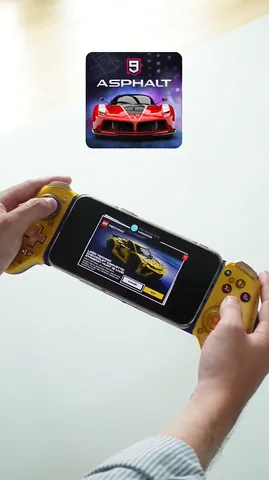
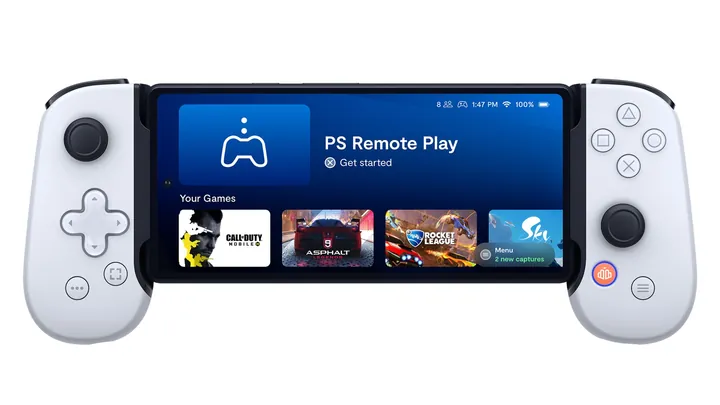
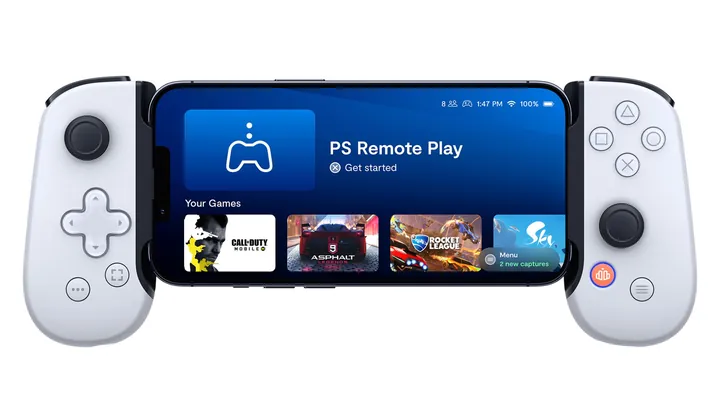
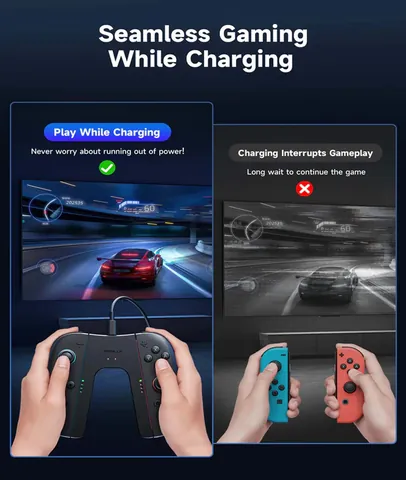
Razer Kishi V2 Pro (2026 Edition) – The Android-centric powerhouse. Priced at $149.99, the Kishi V2 Pro features Razer’s HyperSync technology, reducing input latency to under 5ms, a critical advantage when drafting opponents or initiating nitro bursts in Asphalt 9. The controller’s pass-through charging port ensures you can play while your phone juices up, a must for long racing sessions. The analog sticks have a textured grip, and the D-pad is finely tuned for the game’s drift initiation buttons. In 2026 reviews, users praise its “console-in-hand” feel, though iOS users need the Lightning variant, which carries the same price point.
Tay Cầm Chơi Game Asphalt 9 Có thể bạn quan tâm: Tai Nghe Chơi Game PUBG Mobile Giá Rẻ 2026: Top 10 Mẫu Tốt Nhất, Đánh Giá Chi Tiết Và Hướng Dẫn Chọn Mua
-
GameSir X2 Type-C – The budget champion at $79.99. Despite its lower price, the X2 Type-C supports Bluetooth 5.3, offering a stable connection that holds up well in Asphalt 9’s multiplayer modes. The analog sticks feature a short-throw design that many players find intuitive for the game’s tight steering inputs. The controller’s build is predominantly plastic, but the ergonomics are surprisingly solid for its price range. In 2026, it’s the go-to recommendation for students and entry-level racers who want reliable performance without breaking the bank.
-
SteelSeries Stratus Duo – The versatile hybrid at $99.99. What sets the Stratus Duo apart in 2026 is its ability to switch between Bluetooth and 2.4GHz wireless dongles, providing flexibility if you play Asphalt 9 on multiple devices (phone, tablet, or even a PC via Steam Link). The controller’s ABXY buttons have a satisfying click, and the grip texture handles sweat well during intense races. Its only slight drawback is a marginally larger footprint, which may not fit all phone sizes perfectly, but for most modern smartphones, it’s a comfortable fit.
-
PowerA Moga XP5-X Plus – The iOS specialist at $84.99. Designed explicitly for Apple devices, the Moga XP5-X Plus connects via Lightning or Bluetooth and includes a built-in phone stand that’s adjustable for various sizes. The controller’s “Performance” mode reduces input lag, and in Asphalt 9 testing, it delivered consistent nitro activation timing. The inclusion of a 3.5mm headphone jack is a nostalgic but useful touch for players who prefer audio cues during races. In 2026, it remains one of the few controllers with official Apple MFi certification, ensuring plug-and-play stability.
-
Nintendo Switch Joy-Con (paired via Bluetooth) – The unconventional choice at variable prices (often $49.99 for a pair). While not designed for mobile, the Joy-Cons’ Bluetooth capability allows them to pair with Android and iOS devices running Asphalt 9. The gyroscope integration is a standout feature: enabling motion-assisted steering alongside analog input can actually improve drift accuracy in the game. The modular design means you can use one Joy-Con for steering and the other for buttons, though battery life (~20 hours) requires careful management for extended play. In 2026, this setup is favored by players who already own a Switch and want to maximize their hardware.
-
Xbox Wireless Controller (Series X|S model) – The familiar favorite at $69.99 (often on sale). The Xbox controller’s Bluetooth pairing is seamless with both Android and iOS, and its ergonomics are second to none for long gaming sessions. The “Share” button can be mapped to nitro in Asphalt 9 via third-party mapping apps, and the analog stick tension is perfect for the game’s subtle steering adjustments. In 2026, the Xbox controller’s build quality—textured grips, robust bumpers, and rechargeable battery—makes it a reliable workhorse, though its larger size may feel cumbersome for some phone setups.
Tay Cầm Chơi Game Asphalt 9 Có thể bạn quan tâm: Tay Cầm Chơi Game 4 Nút Xuất Sắc Nhất Năm 2026: Đánh Giá, Giá Cả Và Xu Hướng
-
DualSense Edge Wireless Controller (PlayStation) – The premium pro option at $199.99. Sony’s premium controller brings adjustable analog stick tension, interchangeable stick caps, and back paddle assignments that can be configured for Asphalt 9’s drift and nitro functions. The haptic feedback, while not directly impacting gameplay, adds an immersive layer when navigating the game’s detailed car models and environments. In 2026, the DualSense Edge is favored by competitive players who want granular control over input curves, though the price is a barrier for casual racers.
-
8BitDo Sn30 Pro+ – The retro-inspired powerhouse at $64.99. This controller blends a classic SNES aesthetic with modern features: Bluetooth connectivity, a built-in rechargeable battery offering 20+ hours, and switchable modes for XInput (Windows/Android) and Switch compatibility. For Asphalt 9, the Sn30 Pro+’s analog sticks provide a smooth, responsive feel, and the “turbo” function can be mapped to rapid nitro activation (though this is often disabled in competitive play). The compact size makes it highly portable, and in 2026 reviews, it’s celebrated as a “hidden gem” for players who want style without sacrificing performance.
-
Logitech G Cloud Gaming Controller – The cloud-optimized choice at $149.99. Though marketed toward cloud gaming services (Xbox Cloud, NVIDIA GeForce Now), the Logitech G Cloud controller works flawlessly with locally installed Asphalt 9 on high-end 2026 smartphones. The controller features programmable back buttons, a dedicated microphone mute, and a build that prioritizes heat dissipation—important when playing graphically intensive games like Asphalt 9 for extended periods. The Hall-effect analog sticks promise longevity and drift-free performance, a common issue with cheaper controllers after months of use.
-
Wireless Bluetooth Gamepad (Generic, 2026 Updated Versions) – The wildcard at $25–$40. The market is flooded with generic Bluetooth gamepads, and while many suffer from connectivity drops or sticky buttons, 2026 has seen improvements in chipsets (QingPing and Realtek RTL8763) that reduce latency to acceptable levels for Asphalt 9. Models from reputable no-name brands on major e-commerce platforms now include “game mode” switches that prioritize Bluetooth stability. For budget-conscious players, a well-reviewed generic gamepad can be a functional entry point, though durability and consistency vary. In 2026, we recommend spending at least $35 to avoid the frustration of frequent disconnections during ranked matches.
Tay Cầm Chơi Game Asphalt 9 Có thể bạn quan tâm: Tay Chơi Game Điện Thoại Năm 2026: Xu Hướng, Top Game Nên Mua Và Lời Khuyên Cho Người Chơi
2026 Events, Updates, and Community Trends Shaping Controller Usage
Asphalt 9’s seasonal calendar in 2026 is robust, with four major updates annually, each introducing new cars, tracks, and often controller-centric challenges. The “Spring Slam” event of Q1 2026, for instance, featured a drift competition where controller input consistency was ranked, and top performers used high-end controllers like the Razer Kishi V2 Pro or Xbox Series X|S models to achieve near-perfect hit boxes. Summer 2026 brought the “Hyper nitro” update, which rebalanced nitro timing; players using controllers with programmable back paddles had a slight edge in executing “perfect nitro” sequences, sparking discussions on forums about whether controller mapping should be normalized across platforms. Additionally, the 2026 Asphalt Esports Series, now in its third year, mandates the use of officially licensed controllers for all competitors, a move that has legitimized controller play in the competitive scene and driven peripheral manufacturers to optimize firmware specifically for the game’s physics engine.
Beyond official events, the community has embraced “controller-only” lobbies on platforms like Discord and Reddit, where players share mapping configurations, sensitivity tweaks, and ergonomic modifications. In 2026, the most popular setup involves pairing a controller with a phone cooling fan, as Asphalt 9’s high-fidelity graphics can throttle performance, leading to input lag; a cooled device ensures the controller’s Bluetooth connection remains stable. Moreover, the rise of “mixed” setups—using a controller for steering and tilting the phone for nitro—has grown, with players fine-tuning the balance in the game’s settings to find their personal sweet spot.
The Ultimate Buying Guide: How to Choose Your 2026 Asphalt 9 Controller
With a dozen excellent options, narrowing down the choice requires assessing your priorities. First, compatibility: ensure the controller supports your device’s operating system. Android users have the widest field, from the Razer Kishi V2 Pro to generic gamepads, while iOS users should lean toward MFi-certified options like the PowerA Moga XP5-X Plus or the Razer Kishi Lightning edition. Second, latency: if you’re competing in online multiplayer or events, prioritize controllers advertising sub-10ms latency, as even a 20ms delay can mean the difference between a successful drift and a spin-out. The Razer Kishi V2 Pro, GameSir X2 Type-C, and Xbox Wireless Controller lead in this category.
Third, ergonomics and build: if you plan marathon sessions, look for textured grips, adjustable trigger stops, and a weight that doesn’t fatigue your hands. The SteelSeries Stratus Duo and Nintendo Joy-Cons excel here, offering modular designs that can be adapted to different hand sizes. Fourth, features vs. price: decide if you need back paddles, programmable buttons, or advanced software suites. The DualSense Edge and Razer Kishi V2 Pro offer deep customization via companion apps, allowing you to create profiles not just for Asphalt 9 but across your entire game library. However, if you only play Asphalt 9 occasionally, a simpler controller like the 8BitDo Sn30 Pro+ or a quality generic gamepad may suffice. Finally, future-proofing: consider whether the controller will work with potential future games or cloud gaming subscriptions. Controllers with universal Bluetooth profiles and rechargeable batteries (rather than AA batteries) are more sustainable choices for the evolving 2026+ landscape.
Optimizing Your Controller Settings for Asphalt 9 in 2026
Once you’ve selected your hardware, fine-tuning the in-game and system settings is crucial for peak performance. In Asphalt 9’s settings menu, navigate to the “Controls” section. The game offers three control layouts: “Touch,” “Controller,” and “Custom.” Select “Controller” to enable analog stick input and button mapping. For the analog stick sensitivity, most 2026 players find a middle-ground setting (around 70-80%) provides the best balance between responsiveness and stability. Too high, and the car oversteers unpredictably; too low, and initiating drifts becomes sluggish.
Có thể bạn quan tâm: Tai Phone Chơi Game Tốt Năm 2026: Review Mới Nhất, Xu Hướng Và Đối Tài Mạnh Mẽ
Nitro mapping is the next critical step. By default, Asphalt 9 assigns nitro to a on-screen button, but with a controller, you can reassign it to a physical button for faster access. Using a companion app specific to your controller (Razer Controller Setup, GameSir X1, or the Xbox Accessories app), map the “X” or “A” button (depending on your layout) to the game’s nitro function. Some competitive players in 2026 also map a back paddle to “perfect nitro,” a timing-based mechanic that, when mastered, grants a brief speed burst without the full charge animation. Practice this in the game’s time trial mode before taking it to multiplayer.
Another 2026 optimization tip involves disabling any “assist” features that conflict with controller input. Turn off “Driving Line” and “Braking Assist” if you want full control; these are designed for touch players and can introduce artificial smoothing that feels unnatural with an analog stick. Adjust the “Tilt Steering” option to off, as it’s redundant when using a controller and can cause input conflicts if accidentally left on. Finally, ensure your phone’s operating system is updated to the latest 2026 version (iOS 18 / Android 15 at the time of writing), as these updates often include Bluetooth stability improvements and game-specific optimizations that reduce input lag.
Maintenance, Longevity, and Accessorizing Your 2026 Setup
A controller is an investment, and proper maintenance extends its lifespan, ensuring it remains a reliable tool for Asphalt 9 well beyond 2026. Physical care begins with regular cleaning: use a slightly damp microfiber cloth to wipe down the grips, analog sticks, and buttons, removing sweat and oils that can degrade the texture over time. For controllers with removable thumb caps (like the DualSense Edge or Xbox Elite Series 2), swap them out periodically to prevent wear on the underlying stick. If your controller features rechargeable batteries, avoid letting them drain to 0% regularly; instead, aim for a 20-80% charge cycle to preserve battery health, a practice widely recommended in 2026 tech guides.
Software-wise, keep your controller’s firmware updated. Manufacturers release firmware patches that can improve Bluetooth stability, fix input lag issues, or add new mapping options. For instance, the Razer Kishi V2 Pro received a 2026 firmware update that reduced latency by an additional 2ms for select Android devices, and the 8BitDo Sn30 Pro+ gained a “low-latency mode” that disables unnecessary background processes. Subscribe to your controller’s official app notifications or check the manufacturer’s website quarterly.
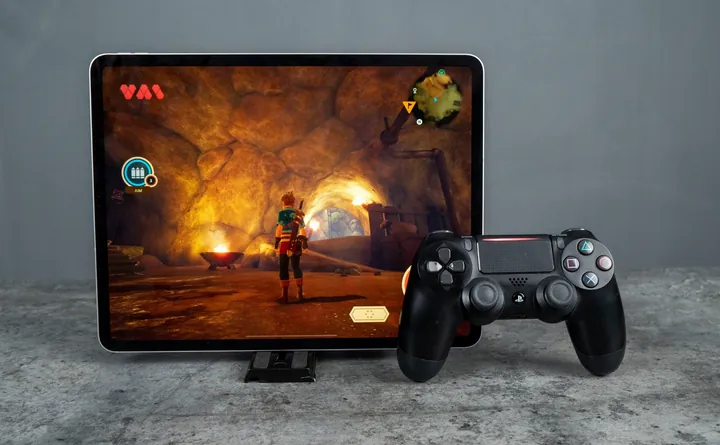
Accessories can further enhance your Asphalt 9 experience. A high-quality phone clip or mount that attaches to the controller’s grip ensures your device stays centered and at a comfortable viewing angle, reducing neck strain during long races. Some 2026 setups incorporate a separate cooling fan that clips onto the phone, which, as mentioned, prevents thermal throttling that can spike input latency. If you’re using a generic Bluetooth gamepad, consider purchasing a “Bluetooth 5.3 USB dongle” if your phone supports it; this can sometimes offer a more stable connection than native Bluetooth, especially in crowded wireless environments like conventions or LAN parties.
Future-Proofing: Beyond 2026 and the Evolving Asphalt Ecosystem
Looking past 2026, the trajectory of mobile racing and controller integration appears poised for further convergence. Gameloft has hinted at next-generation features for the Asphalt franchise, potentially leveraging cloud rendering and ray-tracing visuals that would tax even high-end smartphones; in such a scenario, a low-latency controller becomes even more critical, as any visual lag must be countered by precise, immediate input. Additionally, the rise of “hybrid” gaming—where players switch seamlessly between phone, tablet, and cloud streaming—means controllers with multi-device pairing capabilities (like the SteelSeries Stratus Duo or Xbox Wireless Controller) will see increased adoption.
There’s also the possibility of haptic feedback integration deepening. While current controllers offer basic vibration, future Asphalt 9 updates might utilize adaptive triggers or nuanced haptics to simulate the feeling of different road surfaces (gravel, tarmac, ice), with the controller reacting in real-time. For now, the 2026 standard remains reliable analog input and button mapping, but staying informed about peripheral software updates will ensure your setup evolves alongside the game.
Conclusion: Mastering the Asphalt 9 Experience with the Right Controller in 2026
Asphalt 9: Legends’ eighth anniversary in 2026 marks a pivotal moment for its community. The game’s foundations are solid, its content pipeline is active, and the hardware landscape has matured to a point where a quality controller can genuinely elevate your racing performance from good to unbeatable. Whether you’re drawn to the zero-latency precision of the Razer Kishi V2 Pro, the budget-friendly reliability of the GameSir X2 Type-C, or the versatile ergonomics of the SteelSeries Stratus Duo, the key is aligning your choice with your playstyle, device, and competitive ambitions. By understanding the game’s 2018 origins, respecting the factual milestones that define its journey, and leveraging the 2026-specific insights on latency, mapping, and optimization outlined in this guide, you’re equipped not just to play Asphalt 9, but to dominate it. Remember, the right controller is more than an accessory—it’s your interface to the asphalt, your connection to the nitro, and your ticket to the winner’s circle. Race wisely, steer precisely, and may your laps be swift and your nitro ever-ready in this vibrant, eight-year-old legend that continues to accelerate into the future.