
Minecraft and The Walking Dead are two of the most iconic franchises in their respective domains—gaming and entertainment. While Minecraft is a sandbox game that allows players to build, explore, and survive in a blocky, pixelated world, The Walking Dead is a post-apocalyptic narrative centered around survival against zombies and human threats. Combining these two concepts results in a unique and immersive experience: a Minecraft The Walking Dead map. This article explores the creation, features, and gameplay of such maps, offering an informational guide for players and creators alike.
What Is a Minecraft The Walking Dead Map?
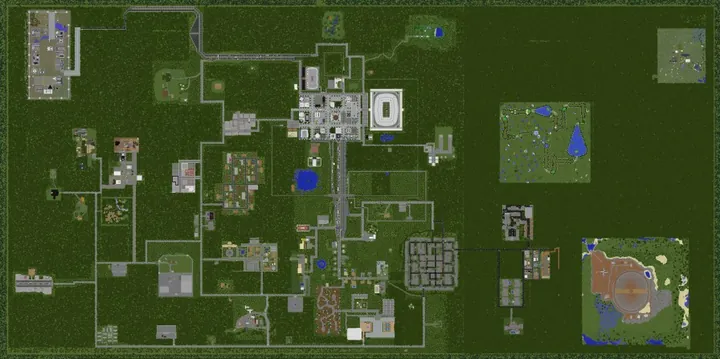
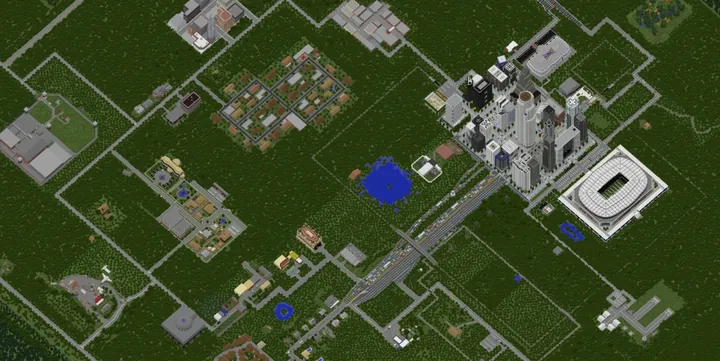
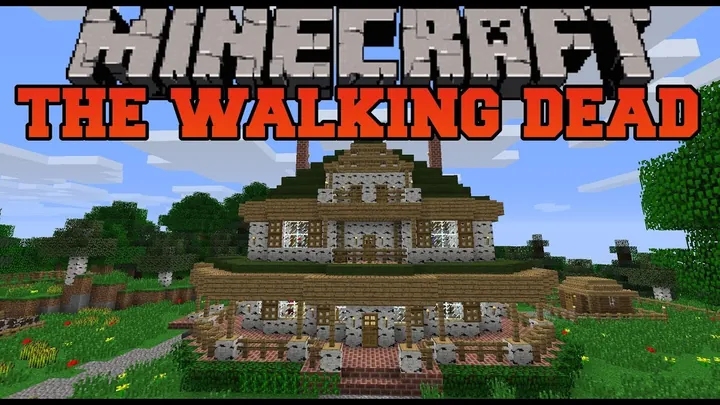
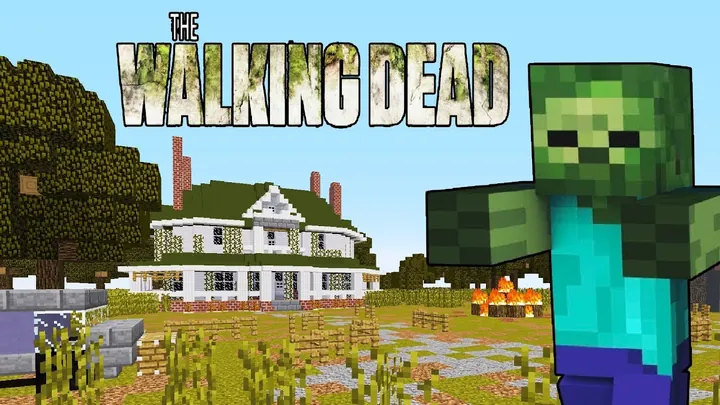
A Minecraft The Walking Dead map is a custom-designed world that blends the core mechanics of Minecraft with the themes and narrative elements of The Walking Dead. These maps often feature survival-based gameplay, zombie-like mobs, and storylines inspired by the TV series or comic books. Players navigate a post-apocalyptic Minecraft world, scavenging for resources, building shelters, and fighting off hostile mobs that represent the undead hordes from the franchise.
These maps are typically created by dedicated Minecraft modders and map designers who use tools like WorldPainter, MCEdit, and custom NPCs to craft detailed environments. The goal is to recreate the tension, resource scarcity, and moral dilemmas found in The Walking Dead within the familiar framework of Minecraft.
Key Features of a Minecraft The Walking Dead Map
1. Post-Apocalyptic Environment
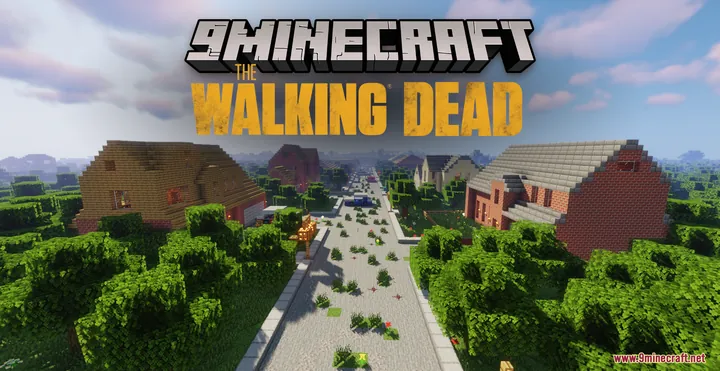
The first defining feature of these maps is the environment. Unlike standard Minecraft worlds, which are lush and filled with life, a Walking Dead-themed map is often desolate and decayed. Cities are overgrown with vegetation, buildings are ruined, and the landscape is littered with debris. This aesthetic mirrors the aftermath of a zombie apocalypse, creating a somber and immersive atmosphere.
Designers use custom texture packs to alter Minecraft’s default textures, making blocks look weathered, rusted, or charred. For example, wooden planks might appear splintered, and stone bricks could have cracks or moss. These visual cues help players feel like they are truly in a world ravaged by catastrophe.
2. Zombie-Like Mobs
In The Walking Dead, the primary threat comes from walkers (zombies). In Minecraft, these are represented by zombies and skeletons, but map creators often enhance them with custom skins or behavior modifications. For instance, using custom NPCs (via mods like CustomNPCs), designers can create uniquely named and textured mobs that resemble the iconic walkers from the series. These mobs might have increased health, speed, or even special abilities like regenerating health when not attacked.
Có thể bạn quan tâm: Minecraft: The Island – Cuốn Tiểu Thuyết Chính Thức Đầu Tiên Đưa Thế Giới Minecraft Lên Trang Giấy
Additionally, some maps introduce custom zombie variants, such as “Tank” zombies (stronger, slower enemies) or “Spitter” zombies (ranged attackers), to add variety and challenge. These variations keep players on edge, as they must adapt their strategies to different threats.
3. Survival Mechanics
Survival is a core element of both Minecraft and The Walking Dead. In these maps, players must scavenge for food, weapons, and building materials while managing hunger and health. Resource scarcity is a key theme, and designers often limit the availability of basic items like wood or iron to force players to explore dangerous areas.
For example, a map might feature abandoned buildings with hidden loot, but entering them risks attracting hordes of zombies. Players must weigh the risk of exploration against the need for supplies, mirroring the survival decisions faced by characters in The Walking Dead.
4. Story-Driven Quests and NPCs
Many Walking Dead maps incorporate storylines through custom NPCs and quest systems. These NPCs might serve as allies, traders, or antagonists, offering missions that advance the narrative. For instance, a survivor named “Rick” could guide the player through objectives like rescuing other survivors or defending a safe zone.
Quest systems are often built using command blocks or mods like Custom Quests. These systems provide structure to the gameplay, giving players clear goals while maintaining the open-ended nature of Minecraft. The storylines can draw directly from The Walking Dead lore, such as searching for a cure, escaping a quarantined city, or forming alliances with other survivor groups.
5. Dynamic Events and Challenges
To maintain the tension of a post-apocalyptic world, these maps often include dynamic events like zombie hordes, supply drops, or environmental hazards. For example, a map might trigger a massive zombie attack every few days, forcing players to reinforce their shelters or flee to safer locations.
Some maps also feature puzzle elements, such as solving puzzles to unlock doors or decode radio messages. These challenges add variety to the gameplay and encourage exploration of the map’s hidden areas.
Có thể bạn quan tâm: Minecraft The Island: Toàn Bộ Thông Tin Về Cuốn Tiểu Thuyết Chính Hãng Và Cách Sở Hữu Nhanh Nhất 2026
How to Install and Use a Minecraft The Walking Dead Map
1. Downloading the Map
The first step is to find and download a Walking Dead-themed Minecraft map. Popular platforms for sharing custom maps include Planet Minecraft, Minecraft Forum, and CurseForge. When selecting a map, look for detailed descriptions, screenshots, and user reviews to ensure compatibility with your Minecraft version.
Most maps are designed for specific Minecraft versions (e.g., 1.12.2 or 1.16.5), so check the requirements before downloading. Some maps may also require additional mods, such as CustomNPCs or Forge, to function properly.
2. Installing Required Mods
If the map requires mods, install them first. For example, CustomNPCs is essential for many Walking Dead maps, as it allows for custom mob skins and dialogue. To install a mod:
1. Download and install Minecraft Forge (a modding platform).
2. Download the mod file (usually a .jar file).
3. Place the mod file into the mods folder within your Minecraft directory.
4. Launch Minecraft with the Forge profile to activate the mod.
3. Importing the Map
Once the mods are installed, import the map into Minecraft:
1. Extract the downloaded map file (typically a .zip or .rar archive).
2. Locate your Minecraft saves folder (usually found at C:\Users\Username\AppData\Roaming\.minecraft\saves on Windows).
3. Copy the extracted map folder into the saves directory.
4. Launch Minecraft and select the new map from the world list.
4. Configuring Settings
Before starting, adjust Minecraft’s settings to enhance the Walking Dead experience:
– Difficulty: Set to “Hard” to increase the challenge.
– Game Mode: Use “Survival” mode to enforce resource management and health mechanics.
– Graphics: Enable “Fancy Graphics” for better visuals, and consider using a texture pack compatible with the map.
Có thể bạn quan tâm: Minecraft Texture Pack Maker: Hướng Dẫn Toàn Diện Tạo Resource Pack Riêng Cho Người Mới Bắt Đầu
Tips for Playing a Minecraft The Walking Dead Map
1. Prioritize Shelter and Safety
In The Walking Dead, shelter is crucial for survival. In Minecraft, this translates to building secure bases to protect against zombie attacks. Use reinforced materials like obsidian or iron bars for walls, and ensure your base has multiple exits in case of emergencies.
2. Scavenge Strategically
Resources are limited, so scavenge wisely. Focus on collecting essential items like food, tools, and armor before venturing into dangerous areas. Always carry a bed to set your spawn point and avoid losing progress.
3. Learn to Fight Smart
Zombies in these maps are often tougher than standard Minecraft mobs. Use ranged weapons like bows or crossbows to maintain distance, and conserve ammunition. Craft traps (e.g., tripwire hooks connected to TNT) to defend your base.
4. Engage with the Storyline
If the map includes quests or NPCs, follow the story to unlock rewards and advance the plot. Interacting with NPCs can provide valuable information, such as safe zones or hidden resources.
5. Adapt to Dynamic Events
Có thể bạn quan tâm: Flows Hd – Bộ Texture Pack Minecraft Đẹp Nổi Tiếng Với Phong Cách Hiện Đại Và Sáng Tạo
Dynamic events like zombie hordes or supply drops add unpredictability. Stay alert and be prepared to adjust your strategy. For example, if a horde is approaching, retreat to your base and reinforce weak points.
Creating Your Own Minecraft The Walking Dead Map
For advanced players interested in creating their own Walking Dead-themed map, the process involves several steps:
1. Planning the Storyline
Begin by outlining a narrative inspired by The Walking Dead. Decide on key locations (e.g., a hospital, a farm, or a military base) and major plot points. Consider how players will interact with the story through quests and NPC dialogue.
2. Designing the Environment
Use WorldPainter to sculpt the terrain and place structures. Create ruined buildings, overgrown forests, and abandoned vehicles to reflect the post-apocalyptic setting. Add details like broken windows, blood splatters, or graffiti to enhance immersion.
3. Implementing Custom NPCs
Install CustomNPCs to populate the map with survivors, traders, and hostile characters. Design unique skins and dialogue trees that align with the story. NPCs can offer quests, trade rare items, or provide lore about the world.
4. Adding Gameplay Mechanics
Use command blocks to create custom mechanics, such as a hunger system that depletes faster or a “radiation” effect in certain areas. Implement puzzle elements like locked doors that require solving a riddle or finding a key.
5. Testing and Refining
Playtest the map to identify bugs, balance difficulty, and ensure the story flows smoothly. Gather feedback from other players to refine the experience.
Community and Collaboration
The Minecraft community has embraced Walking Dead-themed maps, with many creators sharing their work through platforms like Planet Minecraft and YouTube. Collaborative projects often involve teams of builders, writers, and modders working together to create expansive, story-driven experiences.
For example, the The Walking Dead: Minecraft Edition project is a fan-made initiative that aims to recreate the entire Walking Dead universe in Minecraft. Such projects demonstrate the potential for creativity and storytelling within the game.
Conclusion
A Minecraft The Walking Dead map offers a unique blend of survival gameplay and narrative-driven exploration, appealing to fans of both franchises. Whether you’re playing a pre-made map or creating your own, the combination of Minecraft’s sandbox mechanics and The Walking Dead’s intense storytelling creates an engaging and immersive experience.
By understanding the key features, installation process, and gameplay strategies, players can fully appreciate the depth and creativity involved in these maps. For creators, the process of designing a Walking Dead-themed world provides an opportunity to showcase their skills in storytelling, level design, and mod integration.
As Minecraft continues to evolve, the possibilities for custom maps like these will only expand, offering endless opportunities for innovation and collaboration. Whether you’re a survivor navigating a zombie-infested world or a creator building your own post-apocalyptic adventure, the fusion of Minecraft and The Walking Dead proves that the boundaries of gaming are limitless.